AI Code Assistant
Transform your code with AI-powered intelligence
AI Suggestions
Intelligent Code Completion
Context-aware code suggestions powered by semantic search and LLM
Installation
Install the Code Completer extension to enhance your VS Code environment with intelligent code suggestions:
Install using command:
code --install-extension
                        code-completer-0.0.1.vsix
Key Features
Semantic Search
Finds relevant code completions based on meaning and context, not just text matching
LLM Integration
Intelligent code formatting and context understanding powered by AI
Context Awareness
Considers surrounding code and project context for better suggestions
Interactive Preview
Preview and accept/reject suggestions with syntax highlighting
Usage Guide
Trigger Completion
Press
Alt+.
or use the command palette to trigger code completion
Select Suggestion
Choose from semantically relevant suggestions with confidence scores
Preview Changes
Review the formatted code with syntax highlighting before accepting
Accept or Reject
Choose to keep the completion or undo the changes
Visual Demo
1. Trigger Code Completion
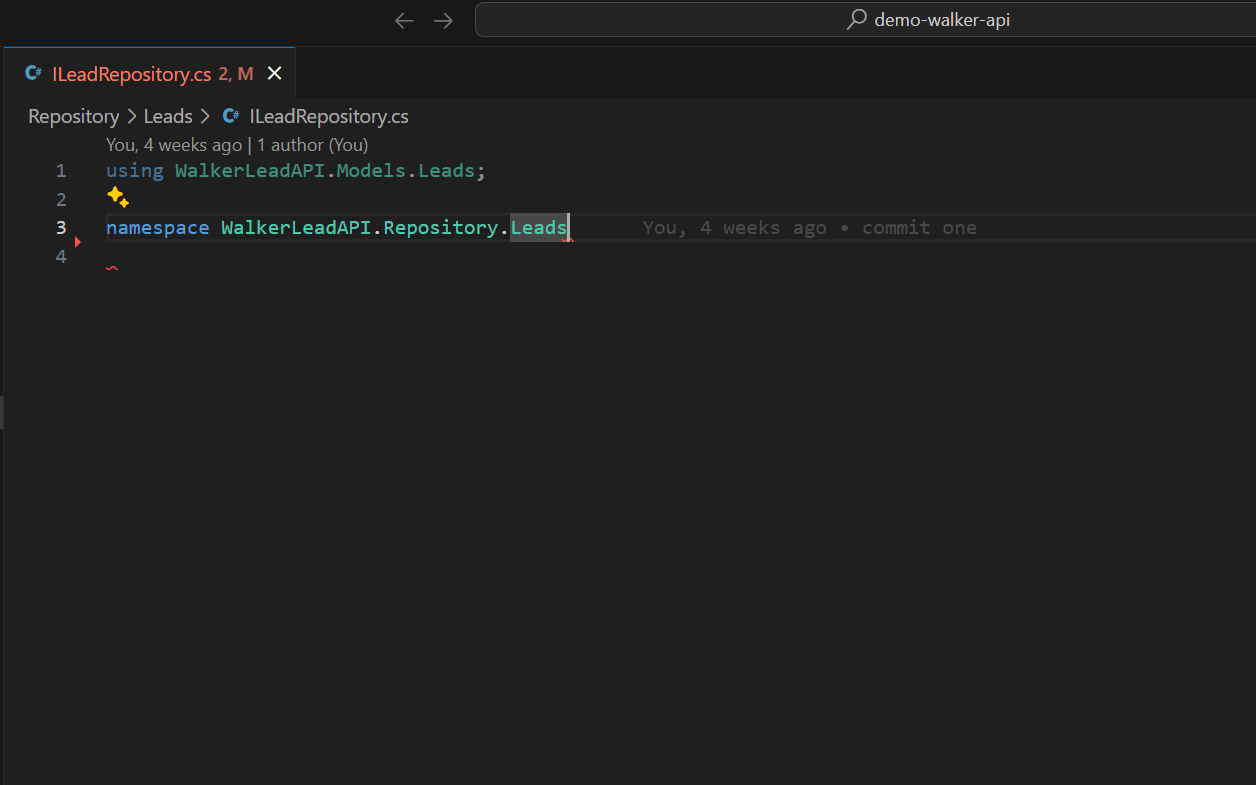
Press ALT+. or use command palette to trigger intelligent code completion
2. Choose from Semantic Suggestions
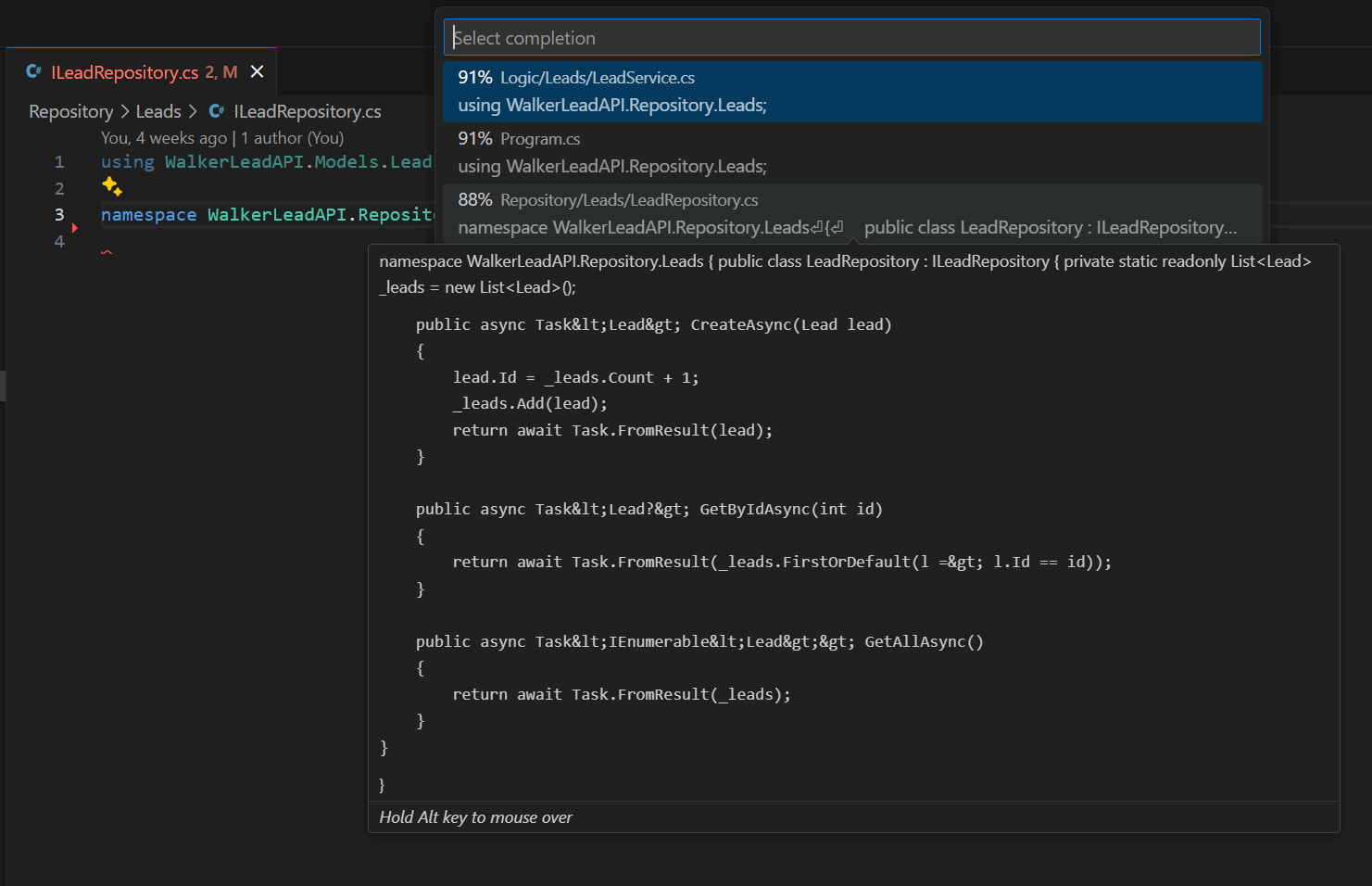
Select from contextually relevant suggestions with confidence scores
3. Preview and Accept Changes
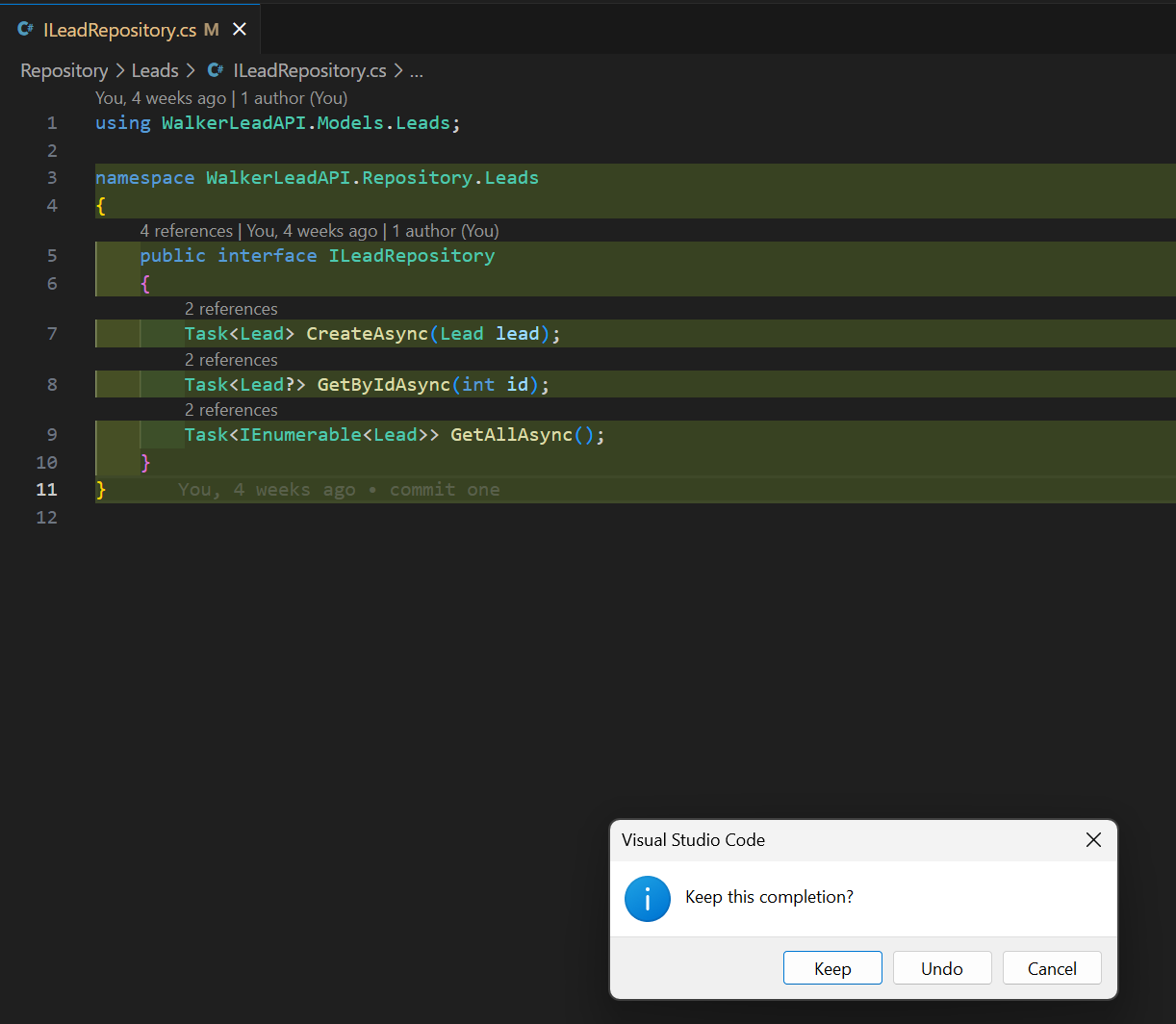
Review the AI-formatted code with syntax highlighting and choose to keep or revert changes
Intelligent Code Understanding
Deep code analysis with context-aware responses
Unlike traditional code search tools that rely solely on keyword matching or simple pattern recognition, our AI Code Assistant implements a sophisticated multi-stage processing pipeline. The system begins with deep structural analysis using tree-sitter, breaking down code into meaningful chunks while preserving crucial context about function relationships, dependencies, and implementation patterns. This granular understanding of code structure enables the assistant to maintain context across entire codebases, not just isolated snippets.
What sets our system apart is its unique dual-database architecture. While the PostgreSQL database maintains detailed metadata about code structure and relationships, the Qdrant vector database enables semantic search capabilities that understand code concepts and patterns. This combination allows the system to not only find exact matches but also identify semantically similar implementations across different parts of the codebase. The backend processes and indexes code in a way that preserves the full context window, making it possible to understand complex relationships between different code components.
The final stage of our pipeline focuses on contextual instruction generation. Instead of simply returning relevant code snippets, the system synthesizes its understanding of the codebase to provide step-by-step guidance. By maintaining the broader context of how different code components interact, the assistant can explain not just what a piece of code does, but how it fits into the larger system architecture. This approach ensures that users receive comprehensive, contextually appropriate guidance that considers the full scope of their development environment.
Advanced Processing Pipeline
Preserves full context of code relationships and dependencies through advanced AST parsing
Combines traditional and vector databases for both structural and semantic understanding
Maintains broad context across entire codebases for more accurate responses
System Architecture
Key Features
Deep Context Understanding
Maintains relationships between code components across the entire codebase, preserving crucial context for accurate analysis.
Semantic Code Search
Advanced pattern matching that understands code concepts and implementation similarities beyond simple text matching.
Chunk-Based Processing
Intelligent code segmentation that preserves context and relationships while enabling precise analysis.
Contextual Guidance
Step-by-step instructions that consider the full context of your codebase and development environment.
Processing Stack
Tree-sitter AST
PostgreSQL
Qdrant Vector DB
Context Engine
Repository Name
ID:
Language Distribution
File Structure
No files to display